





 stay affordable, sleep sustainable
 World’s largest Hostel Chain - With 30,000 Beds

Check in with the a&o App and unlock your door with your smartphone
Check in digitally, complete your guest details, and open your room – where available – directly with your smartphone: fast, simple, and without unnecessary paperwork.
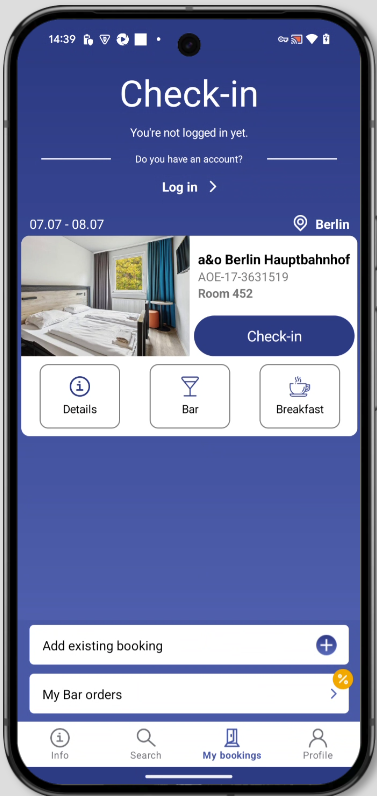
Your benefits with the a&o App
Check in online
Start check-in directly in the app and prepare for your arrival.
Fill in guest details digitally
Add the details for all guests easily on your smartphone.
Booking always with you
See your travel dates, hostel address, and booking details directly in the app.
Open the door via the app
Where available, use your smartphone as a digital room key.
How app check-in works
From booking to an open room door – a clear process with no waiting at reception.
Open your booking in the app
Open your booking in the a&o App. If it doesn't show up yet, you can add it via “Add existing booking”.
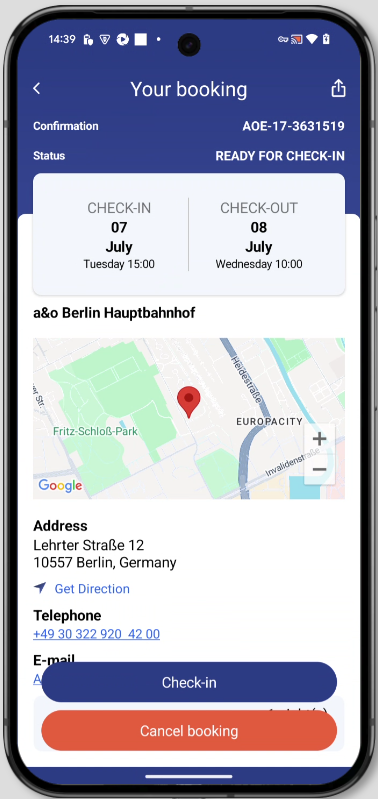
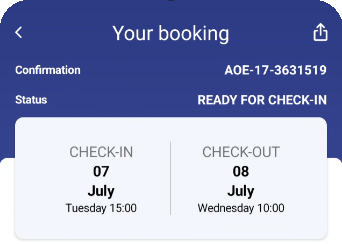
Start check-in
Tap “Check-in” in your booking. There you'll see your travel dates, hostel, address, and all important booking details.
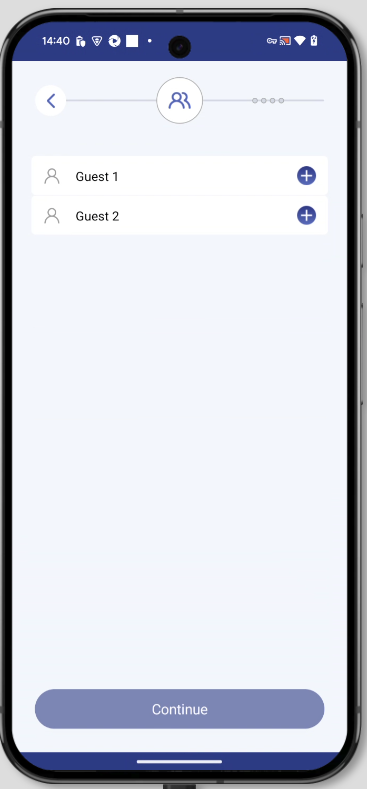
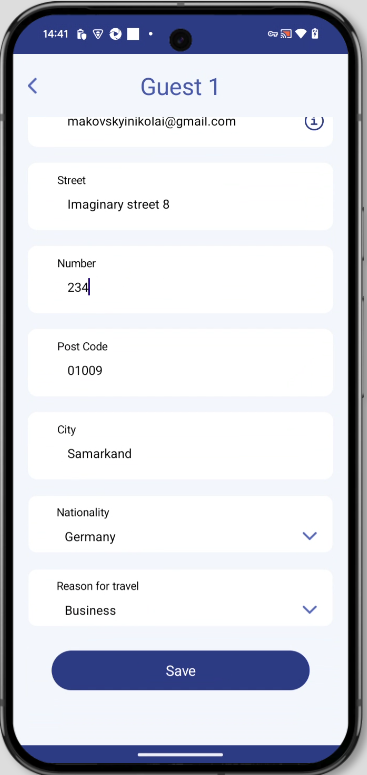
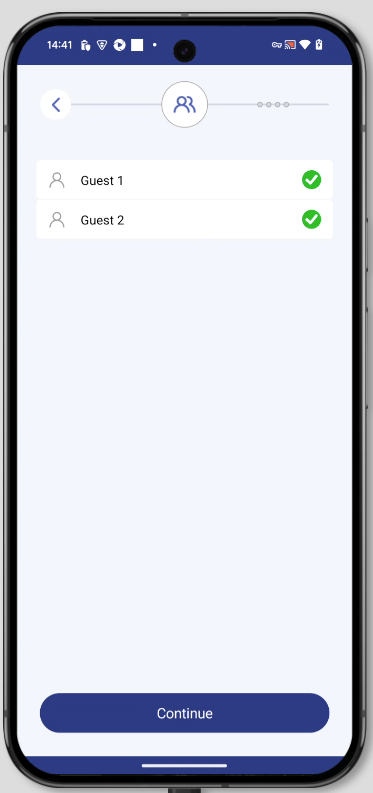
Add guest details
Enter the required details for all guests. The app shows you which information is still missing.
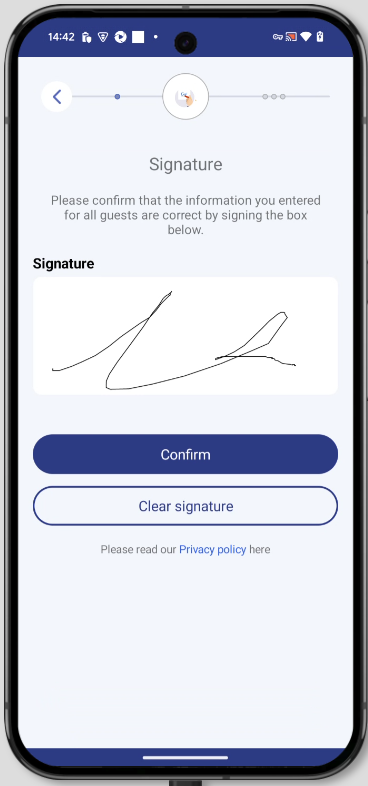
Confirm digitally
Review your details and confirm them directly in the app with your digital signature.
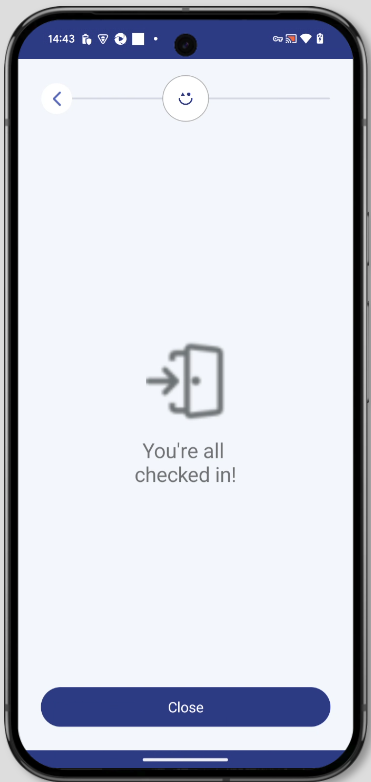
Checked in
After successful check-in, your booking is ready. Where available, you can open your door directly via the app.
Open your door with the a&o App
After successful check-in, the “Open Door” button appears in your booking. This lets you open your room door directly via the a&o App – no separate key card needed.
- 1Open the app
- 2Select your booking
- 3Tap “Open Door”
- 4Hold your smartphone near the door
- Open the room
Digital door unlocking is available in participating hostels and rooms. If the “Open Door” button appears in your booking, you can use this feature.
Download the a&o App now
Download the a&o App and manage your booking directly on your smartphone.

Scan the code & download the app
Everything about app check-in
Still have questions? Our reception is available for you around the clock – on-site and in the app.
-
Can I check in without the app? +
Yes. You can still check in on-site. With the app, you can prepare your details digitally and proceed faster. -
When can I check in via the app? +
As soon as your booking is ready for check-in, the check-in button will appear in the app. -
Do I need to be logged in? +
You can log in or add an existing booking in the app. What matters is that your booking is visible in the app. -
Can I check in for multiple guests? +
Yes. The app guides you through entering the details for all guests in your booking. -
Why don't I see the “Open Door” button? +
Digital door unlocking isn't available for every booking, room, or hostel. If it's available, the button will appear directly in your booking. -
Do I still need a key card? +
If digital door unlocking is available for your booking, you can use your smartphone as your key. If not, you'll receive your key as usual on-site.
DON’T WANT TO CHECK IN DIGITALLY?
No problem! At many locations, you can simply use the self-check-in terminals on site and won’t need to queue at reception – available in many languages. Once you’ve entered your details, you’ll receive your personalised room card.
Self-check-in is already available at the following a&o hostels: Berlin Friedrichshain, Berlin Hauptbahnhof, Berlin Mitte, Bremen Hauptbahnhof, Budapest City, Dresden Hauptbahnhof, Düsseldorf Hauptbahnhof, Firenze Campo di Marte, Frankfurt Ostend, Hamburg City, Hamburg Hauptbahnhof, München Laim, Stuttgart City, Venezia Mestre, Warszawa Wola, Wien Hauptbahnhof.
Ready for a faster check-in?
Download the a&o App and manage your booking directly on your smartphone.
Download the app